Papex Logbook
Your AI-use statement, counted from what happened.
For Claude Code and Codex. Each step the agent takes goes into a logbook in your research folder, and your paper’s AI-use statement is counted from it.
Free. No Papex account needed.
How it works
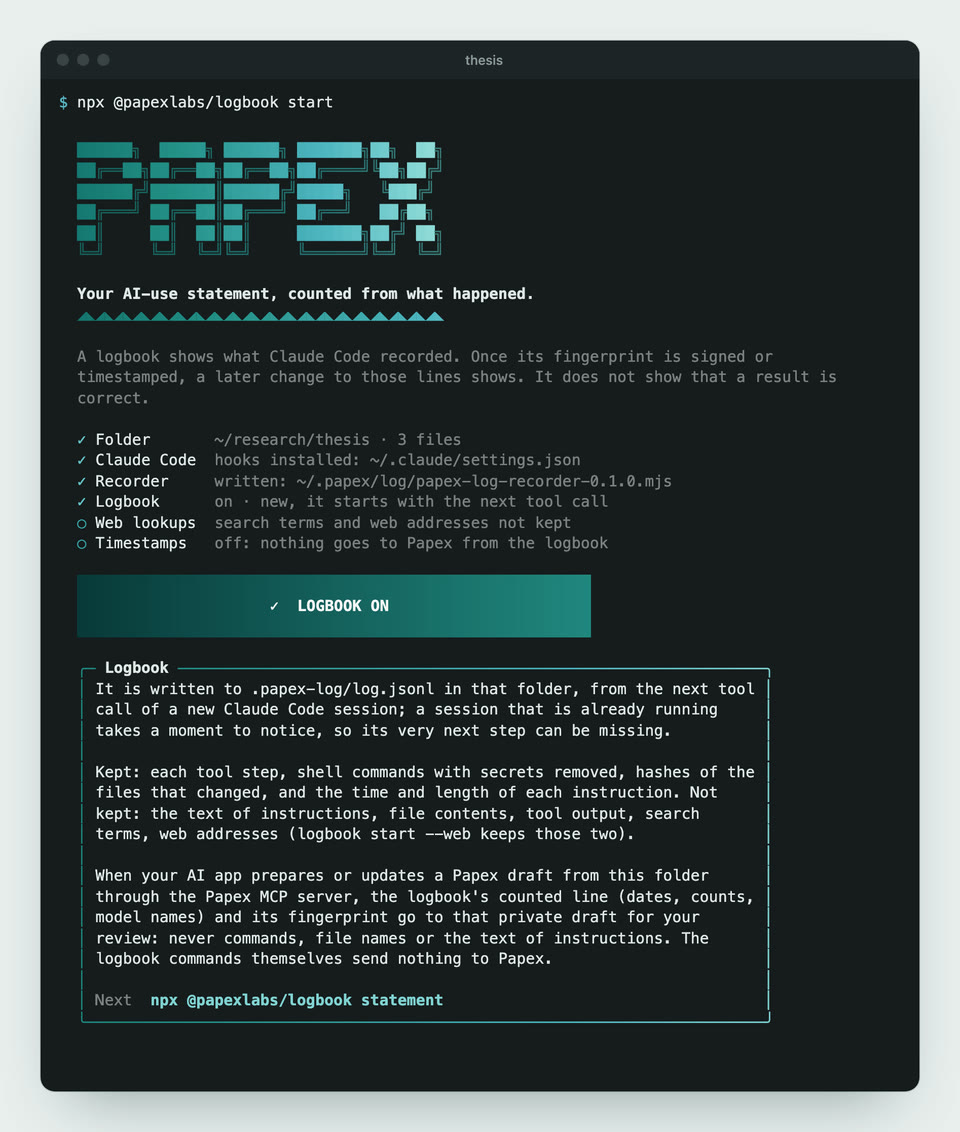
Turn it on in your research folder.
npx @papexlabs/logbook startnpx @papexlabs/logbook start --host codexCodex asks once for the hooks to be reviewed and trusted:
/hooksin the CLI, Review hooks in the app.Needs Node.js 22.12 or newer. Tried on macOS only.
Work as usual.
While the agent works, the AI app’s own hooks write each step to
.papex-log/log.jsonlin that folder. Each line carries the fingerprint (SHA-256) of the line before it.Print the statement.
It counts the logbook and prints the AI-use statement in your publisher’s own form.
npx @papexlabs/logbook statement --for elsevier- General (ICMJE, COPE)
general - Elsevier
elsevier - Springer Nature
springer-nature - Wiley
wiley - Taylor & Francis
taylor-francis - IEEE
ieee - ACM
acm - arXiv, AMS
arxiv-ams
Each follows that publisher’s AI policy as checked on 26 November 2026.
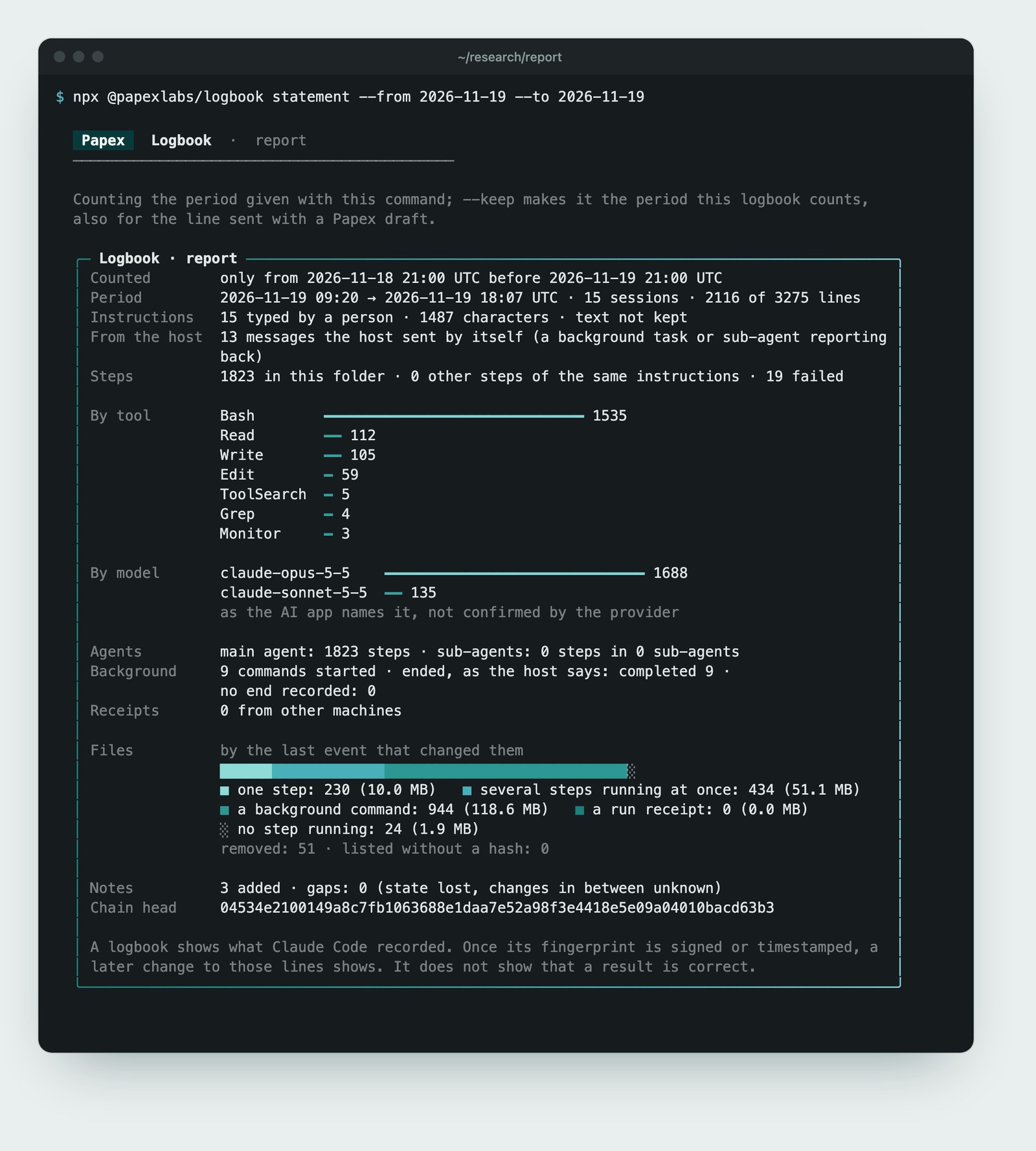
Without --for, the same command draws the whole count. Here, one day of a real logbook.- General (ICMJE, COPE)
What it keeps
Kept
- Each tool step, with its time
- The model, as the AI app names it, not confirmed by the provider
- Shell commands, with secrets removed
- Hashes of the files that changed
- The time and length of each instruction
Never kept
- The text of your instructions
- File contents
- Tool output
Search terms and web addresses are kept only with start --web.
It stays on your computer
The logbook commands send nothing anywhere.
Timestamps are opt-in. With start --anchor, the logbook’s fingerprint, line count and time go to Papex now and then, with the AI app’s name and the program’s version. The fingerprint is timestamped with OpenTimestamps, and the times appear on a public page for the logbook. Never commands, file names or the text of your instructions.
A reviewer can check it
Whoever gets the logbook file can check it at papex.org/verify, in their browser, with no account.
Check a logbookWithout our page: the format and a one-file Python checker are open source (Apache 2.0) at github.com/papexlabs/logbook-format.
What it shows
A logbook shows what the AI app recorded. Once its fingerprint is signed or timestamped, a later change to those lines shows. It does not show that a result is correct.
The whole way through, with a real statement: How to disclose Claude Code or Codex use in a research paper